> For the complete documentation index, see [llms.txt](https://tokenlon.gitbook.io/docs/llms.txt). Markdown versions of documentation pages are available by appending `.md` to page URLs; this page is available as [Markdown](https://tokenlon.gitbook.io/docs/docs.en/intro/lon-economic-mechanisms/lp-mining.md).
# Liquidity Mining
##
### How can Phase I mining users redeem and exit the UNI pool?
**Redeem LP tokens and receive rewards**
Select "LON/ETH" under "Previous liquidity mining" and click "Exit" and confirm to redeem LP tokens and receive LON mining rewards.
**Exit the Uniswap pool**
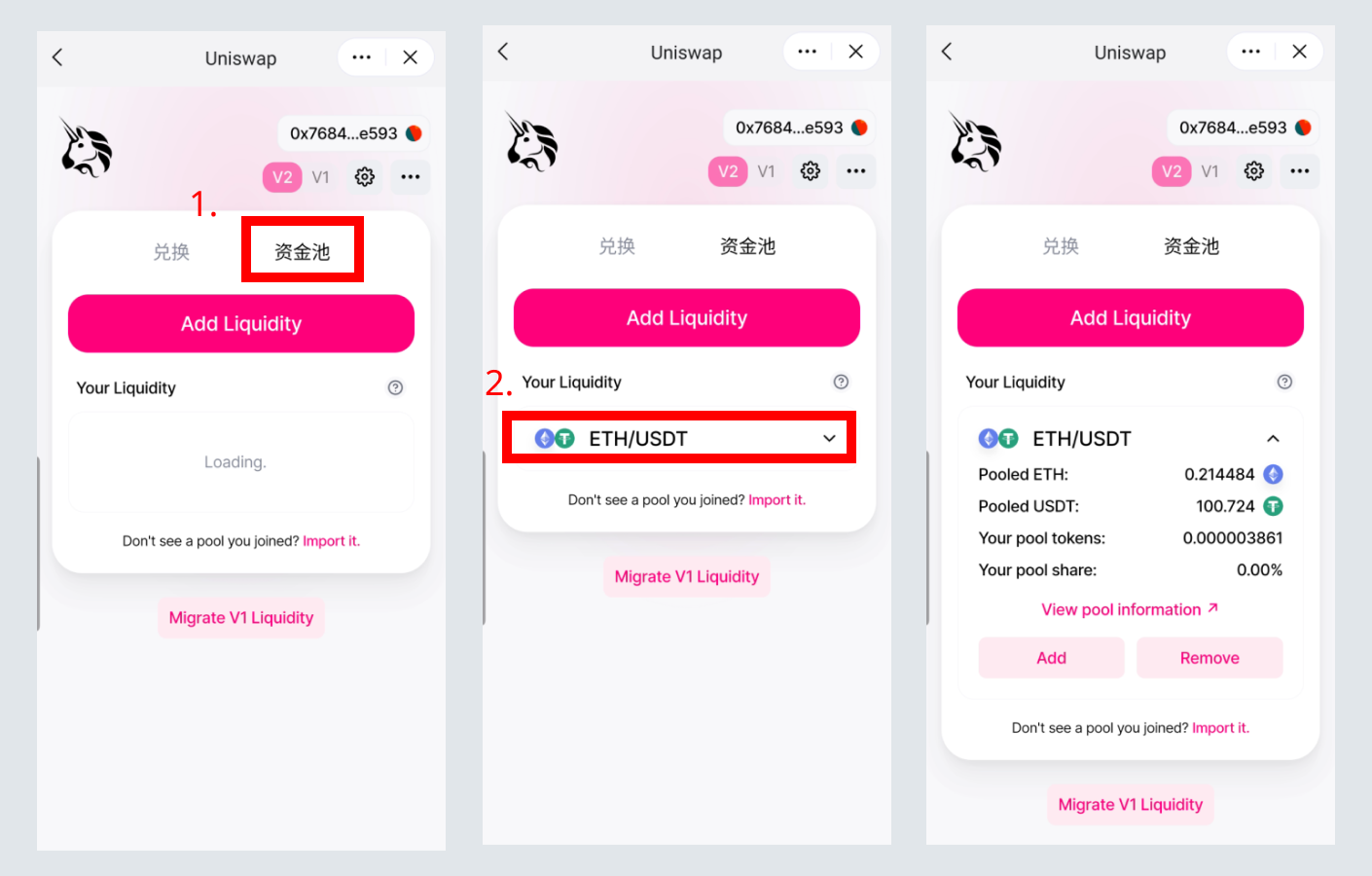
1. Open Uniswap in imToken and click "Pool". After the page is loaded, click "Your Liquidity". When you see the added liquidity pool for LON/ETH pair, click to display the details of the liquidity pool;\
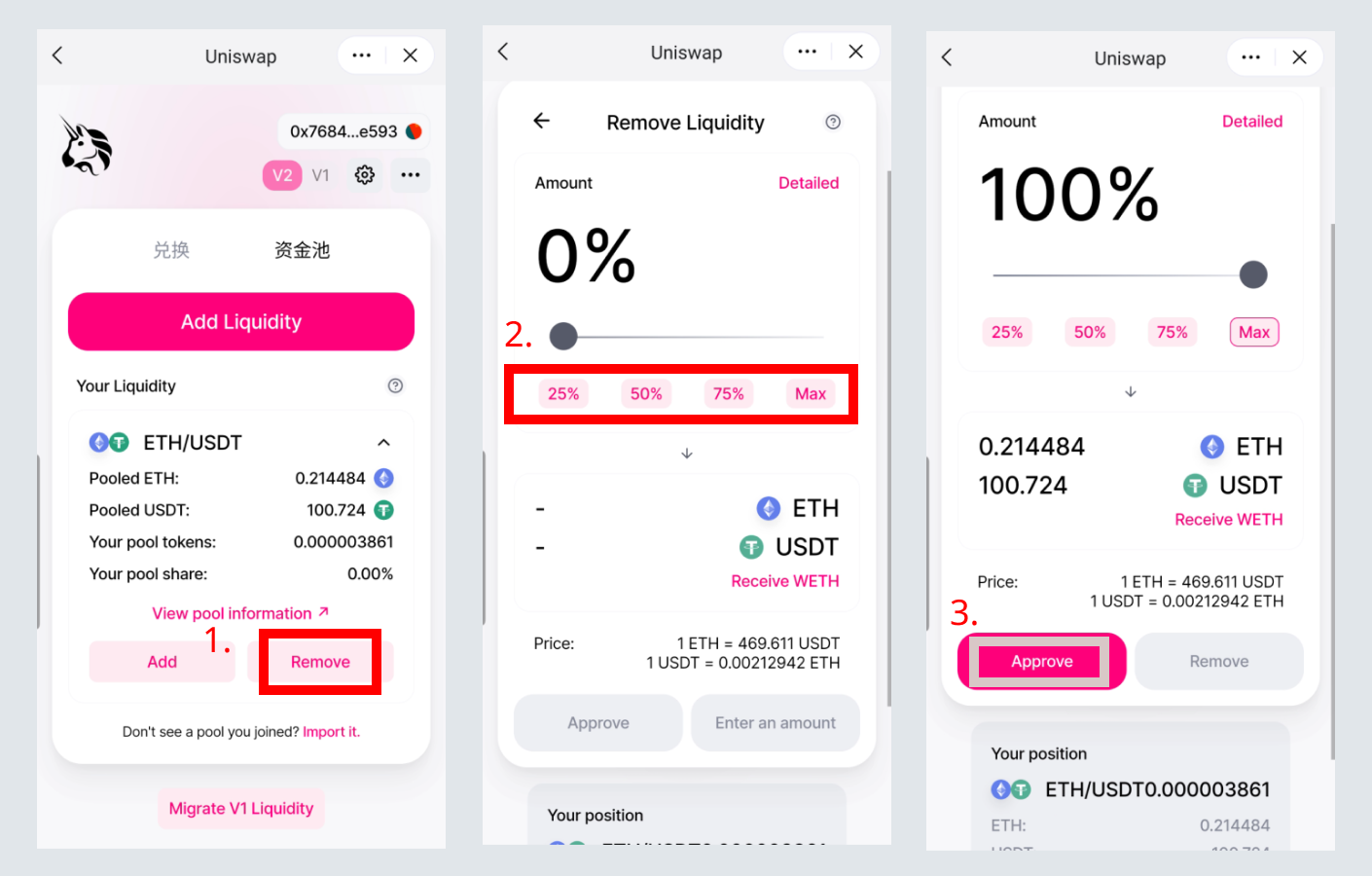
2. Click "Remove", then select the percentage to withdraw from the liquidity pool, and then click "Approve" to authorize\
*Note: If you need to completely exit, click "Max".*\
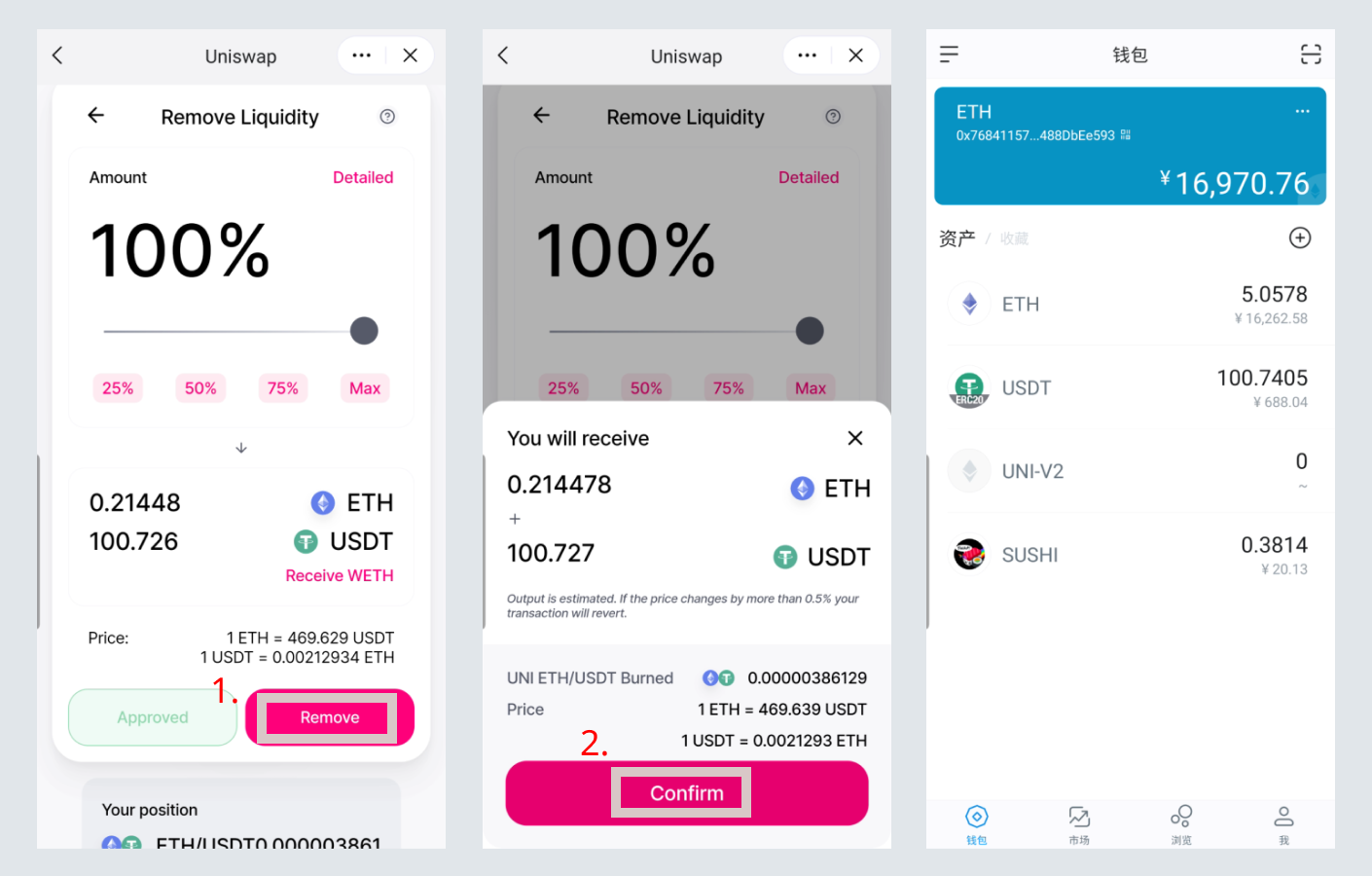
3. After authorization, click "Remove" and confirm, you can exit the liquidity pool and get back the original tokens\
### How to migrate to the 2nd phase of Uniswap LON/ETH pool
Select "LON/ETH" under "Previous liquidity mining" and click "Exit" and confirm to redeem LP tokens and receive LON mining rewards.
Then click "Participate in mining", then select "LON/ETH", click "Stake", enter the amount to be pledged and confirm.
### How new users participate in the 2nd phase of mining
Note: This is also applicable to users who withdraw from the first phase of mining and want to participate in the second phase of SushiSwap LON/USDT pool mining.
#### Join Uniswap to participate in LON mining
**Join the Uniswap LON/ETH liquidity pool**
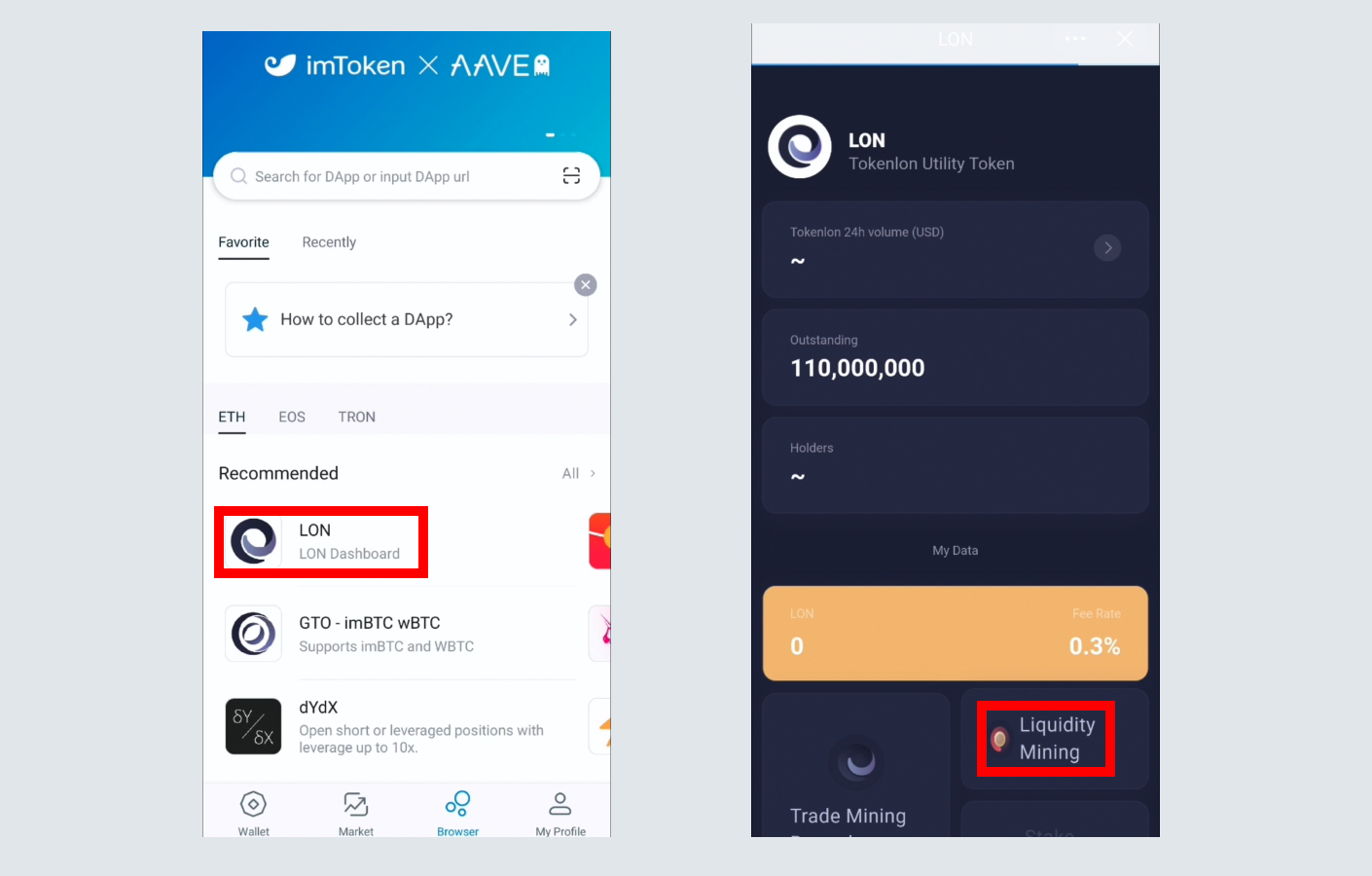
1. Open Uniswap or click “liquidity mining” in the LON DApp\
2. Click "LON/ETH", and then select "Add liquidity", enter the LON amount to be added to the liquidity pool, and click "Approve LON" to authorize the LON token from your wallet.\
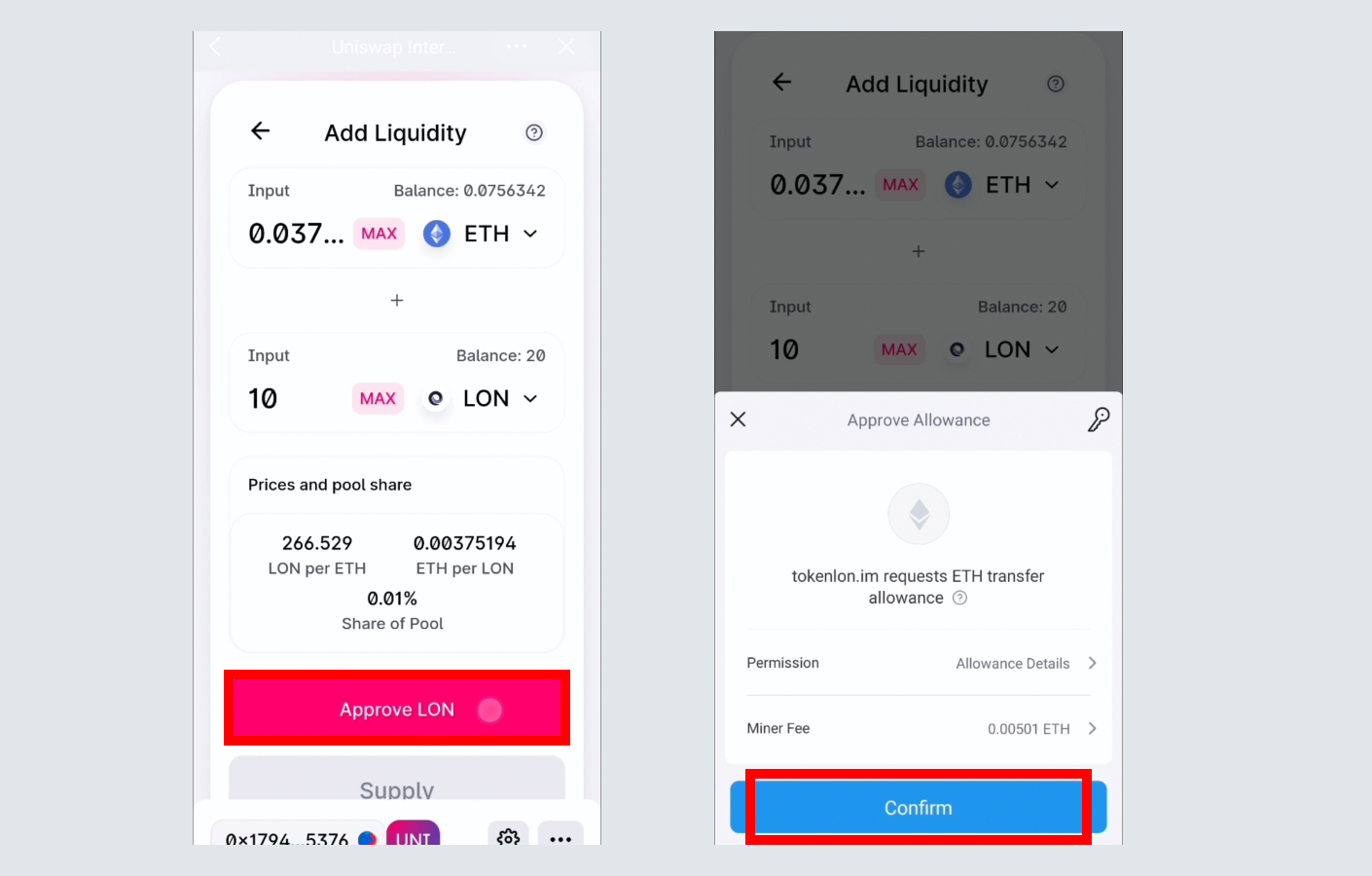
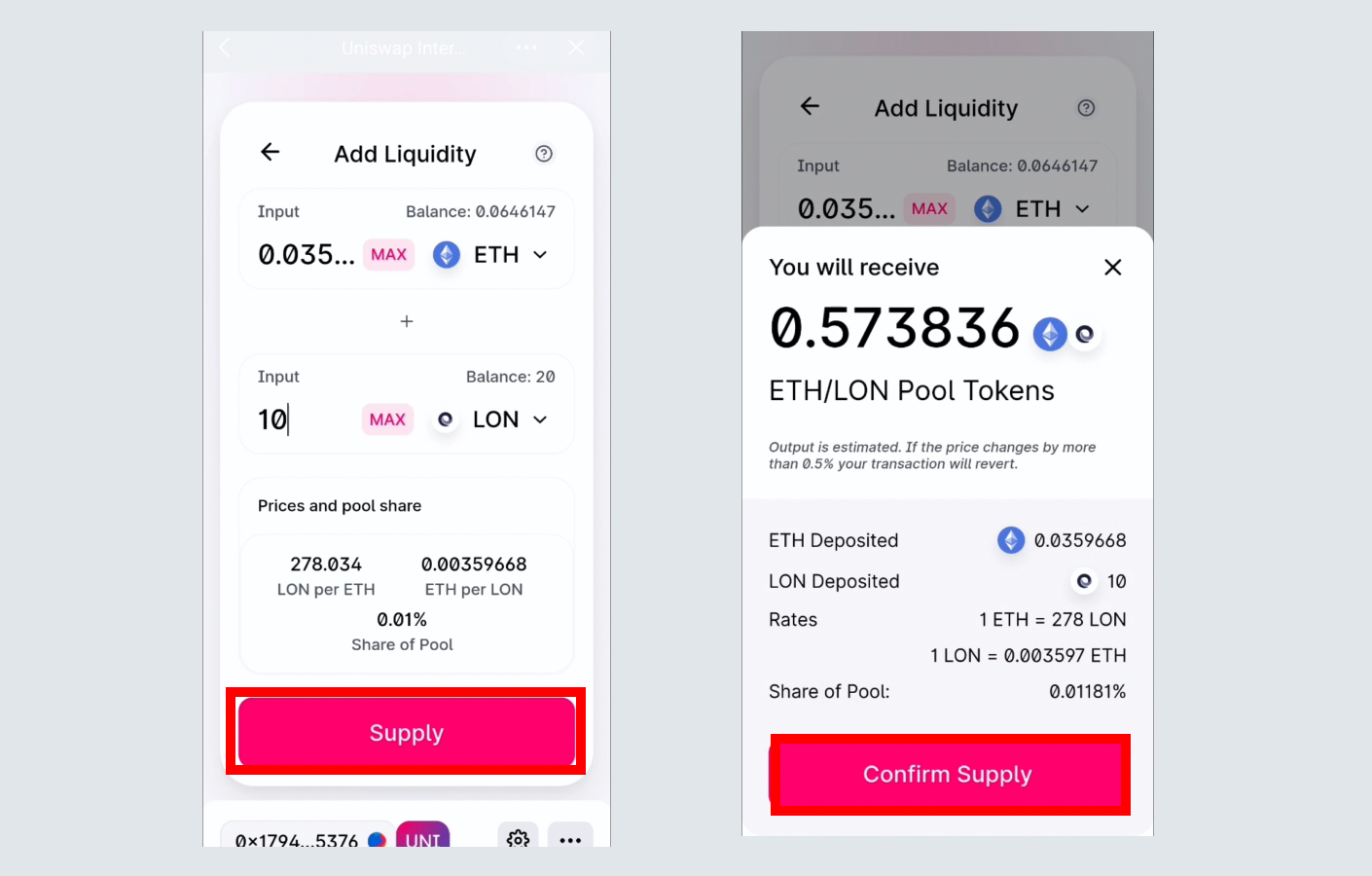
3. After a successful authorization, select "Supply" and confirm, you can join the LON/ETH liquidity pool.\
\
Tips:\
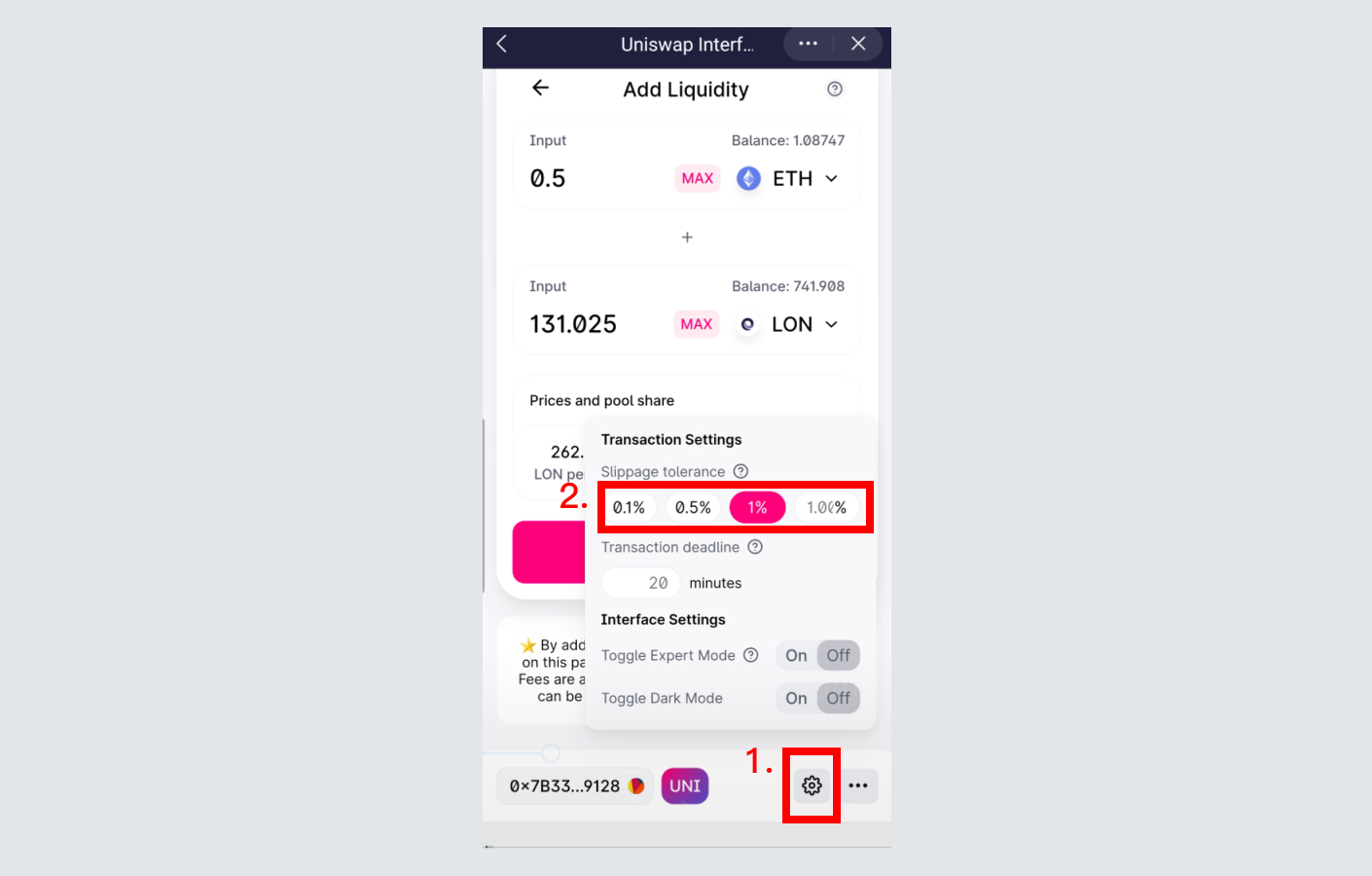
1\. Set the gas price as the fastest to avoid transaction failures\
2\. If the transaction still fails with the fastest gas price, please set the slippage tolerance as shown below\
4. After the transaction is successful, find the "UNI V2" token in your wallet. This is the LP tokens of the LON/ETH liquidity pool.
**Stake the received LP Tokens to start receiving LON rewards**
1. After entering the LON/ETH "Liquidity Mining" page, click "Stake"\
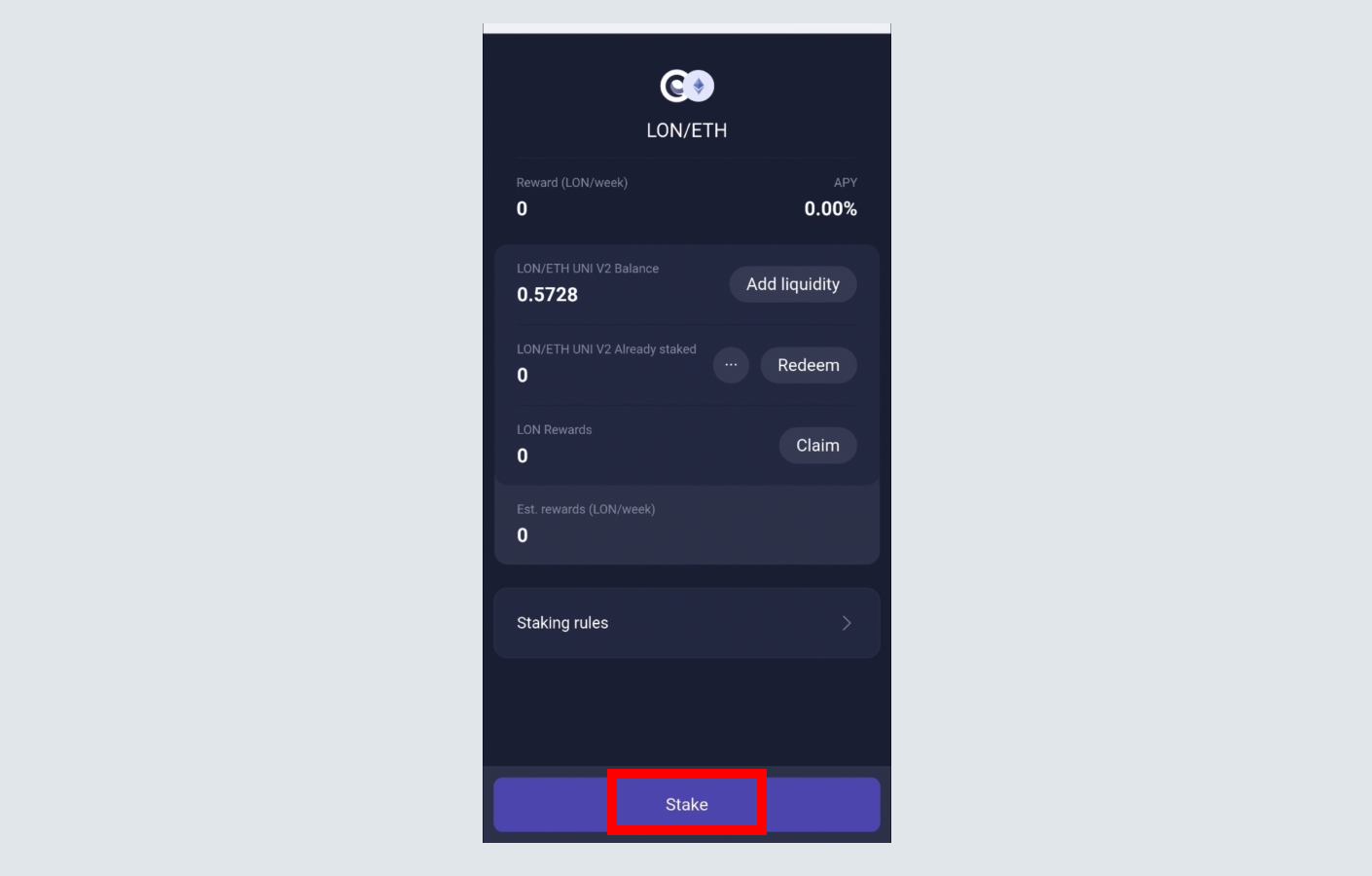
2. Enter the staking amount, and click "Approve" and then click "Stake"\
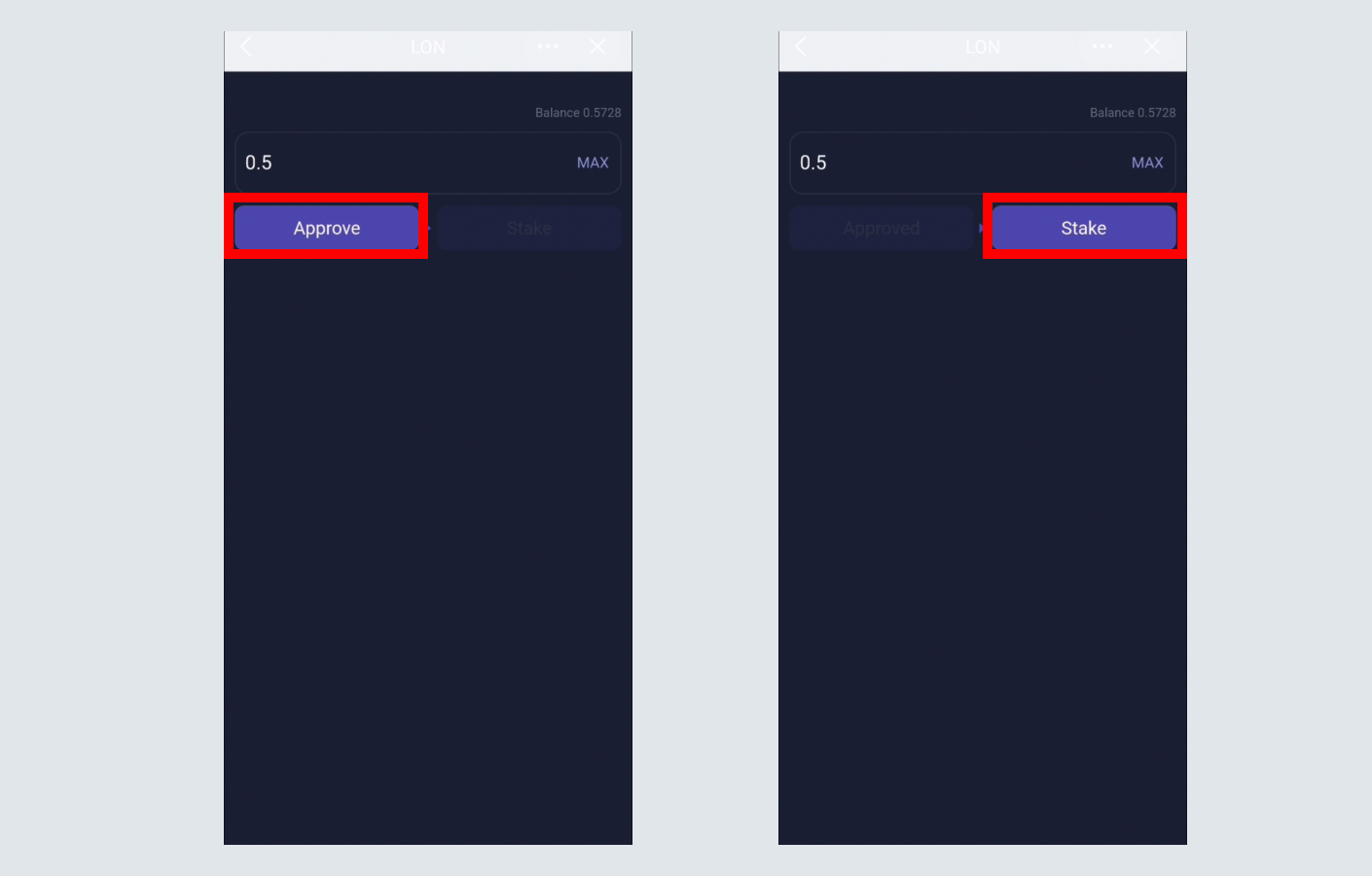
3. After successful staking, return to the previous page to see the current stake and LON reward
4. Click "Claim" to transfer LON to your own wallet address
**Redeem LP tokens**
After entering the LON/ETH "Liquidity Mining" page, click "Unstake", enter the quantity and confirm.
**Exit the Uniswap pool**
The "Exit Uniswap Liquidity Pool" operation is similar to the above "How can Phase I mining users redeem and exit the UNI pool?".
#### Join SushiSwap to participate in LON mining
**Join SushiSwap LON/USDT liquidity pool**
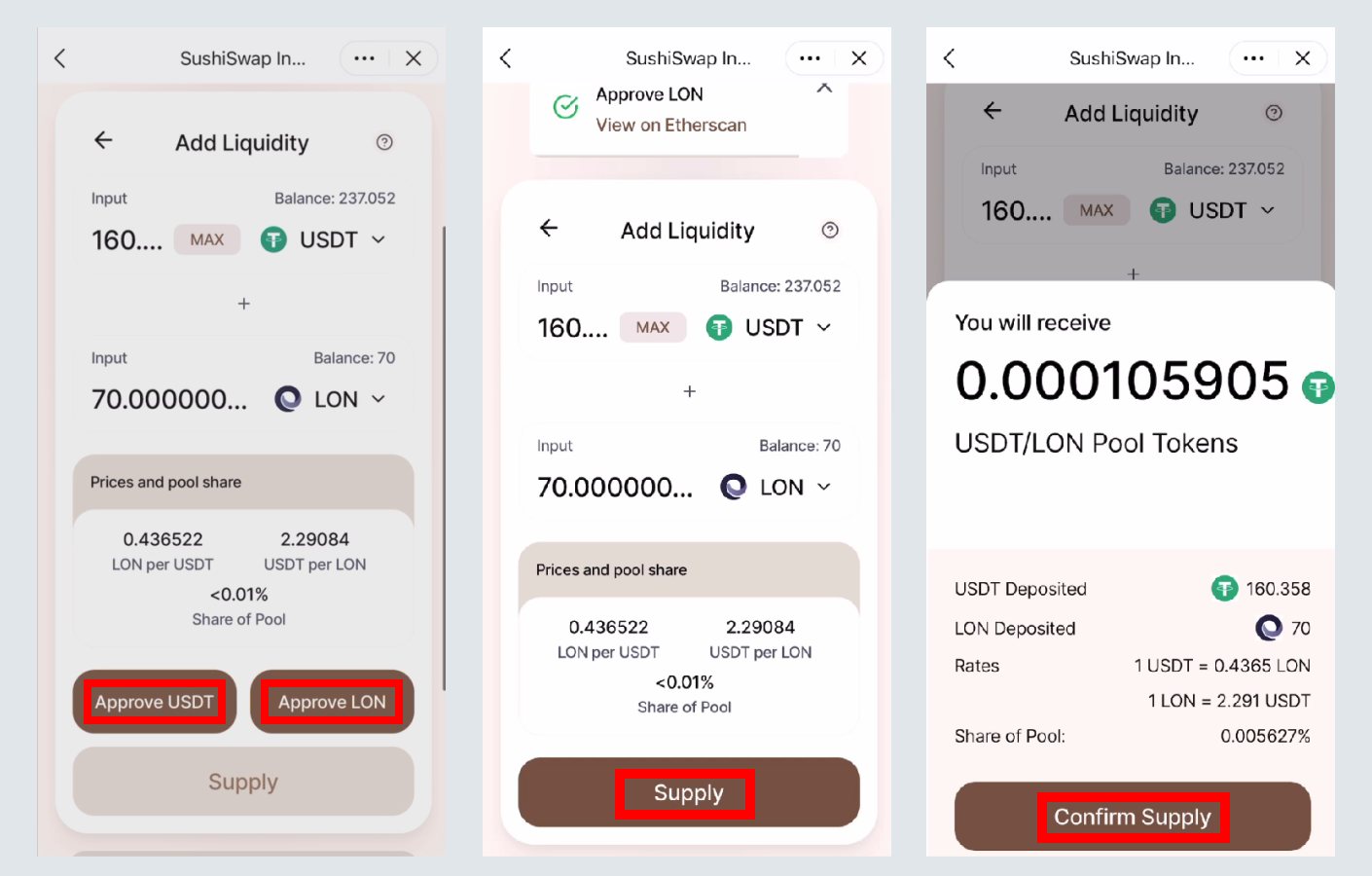
1. Open SushiSwap or click “liquidity mining” in the LON DApp
2. Click "LON/USDT", and then select "Add Liquidity"
3. Enter the amount to be added to the liquidity pool, click "Approve LON" to authorize LON, and then click "Approve USDT" to authorize USDT. After a successful authorization, select "Supply" and confirm, you can join the LON/USDT liquidity pool.\
Tips:\
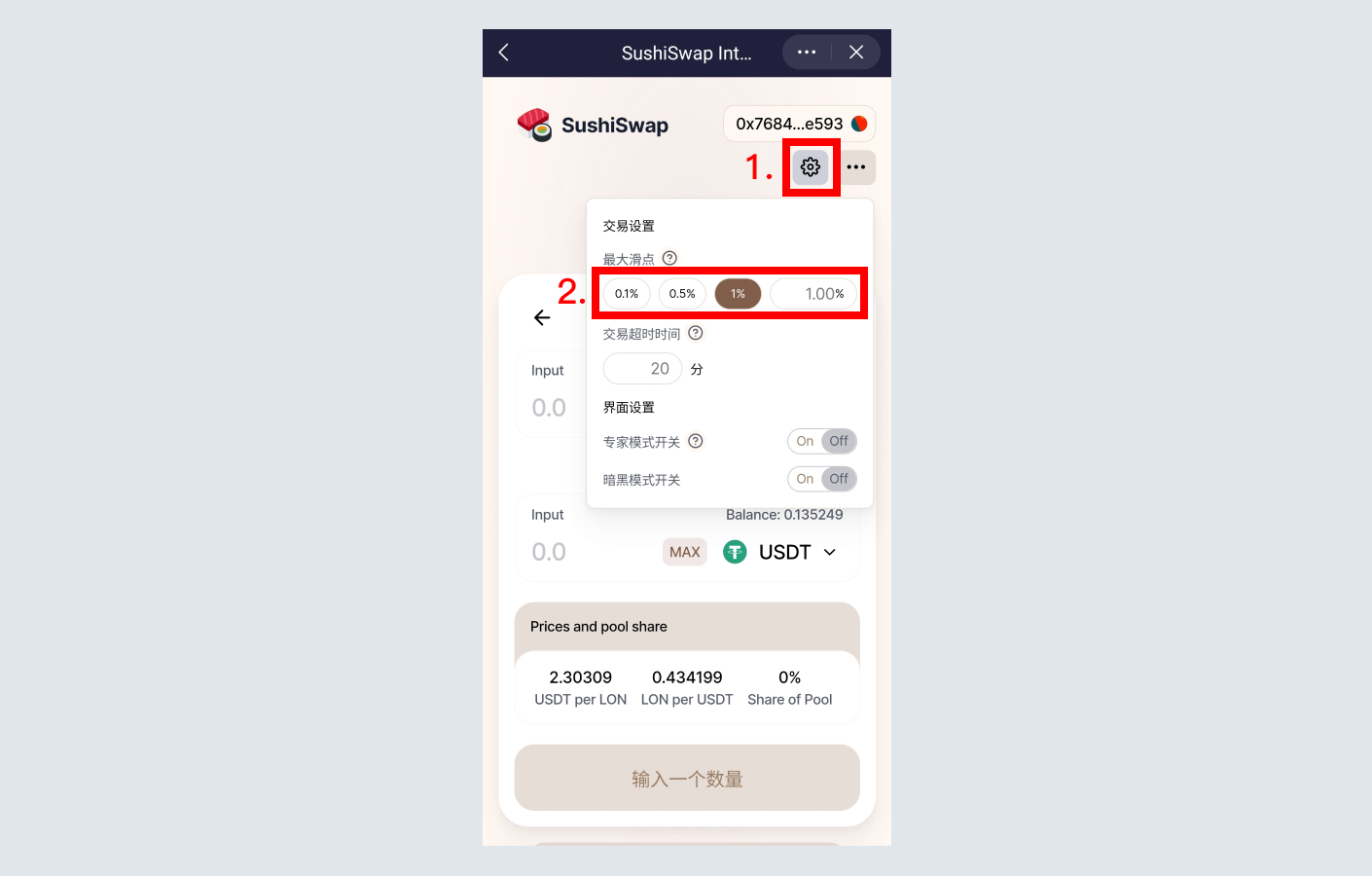
1\. Set the gas price as the fastest to avoid transaction failures\
2\. If the transaction still fails with the fastest gas price, please set the slippage tolerance as shown below\
4. After the transaction is successful, find the "SLP LON/USDT LP" token in your wallet. This is the LP token s of the LON/USDT liquidity pool.
**Stake LP tokens and receives LON rewards**
1. After entering the "Liquidity Mining" page, click "Stake"
2. Enter the staking amount, and click "Approve" and then click "Stake"
3. After successful staking, return to the previous page to see the current stake and LON reward. Since the LON/USDT pool can also mine SUSHI, you can also get SUSHI rewards.
4. Click "Claim" to transfer LON and SUSHI to your own wallet address
**Redeem LP tokens**
After entering the LON/USDT "Liquidity Mining" page, click "Unstake", enter the quantity and confirm.
**Exit the SushiSwap pool**
The "Exit SushiSwap Liquidity Pool" operation is similar to the above "How can Phase I mining users redeem and exit the UNI pool?".
Note: Currently, when you exit the SushiSwap pool, the page loads slowly, so you need to wait patiently before continuing.
**Important Risk Warning**
* LON token contract address:\
0x0000000000095413afC295d19EDeb1Ad7B71c952
* Beware of scams!
* There is no deadline for you to claim your liquidity mining rewards.
* Liquidity mining may cause impermanent loss, [learn more](https://finematics.com/impermanent-loss-explained/)